
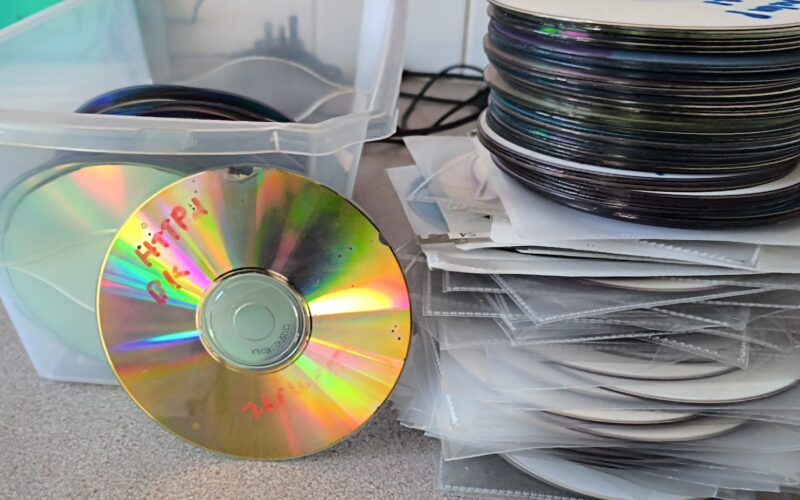
There is a specific kind of nostalgia that comes with cracking open a spindle of silver discs from the late ’90s. It’s the promise of a digital time capsule—photos from a forgotten camera, old documents, and the creative projects that defined a younger version of ourselves.
But as I’ve recently discovered while attempting to migrate nearly 1,000 backup discs to network storage, the “permanent” nature of optical media is a dangerous myth. Digital preservation isn’t a one-time event; it’s a constant battle against physics and the relentless march of hardware evolution.
The Silent Killer: Disc Rot
We were told CDs and DVDs would last decades, but reality has a different timeline. Out of the hundreds of discs I’ve processed so far, roughly 30% to 40% are suffering from disc rot. Whether it’s the reflective layer oxidizing or the dye degrading, the result is the same: unrecoverable sectors.
Watching a progress bar stall while a drive frantically clicks is a sobering reminder that data is fragile. Currently, I’m about halfway through a stack of 700 discs, and 200 of them are already partially or completely unreadable. If you have a stash of old discs in a drawer, the clock isn’t just ticking—it’s racing.
The Hardware Chasm
Even if the data survives the “rot,” you still have to get to it. Modern computing has effectively declared optical media dead. None of my current laptops or desktops ship with internal drives.
To even begin this project, I had to embark on a hardware recovery mission of my own:
- A USB DVD Drive: To handle the bulk of the early 2000s archives.
- A Blu-ray Reader: To tackle the 50 GB “high-capacity” backups I created later on.
This illustrates the high risk of hardware obsolescence. Backups are a chain; if the “player” disappears, the “record” is just a plastic coaster. We saw it with floppy disks and Zip drives; CDs and DVDs are simply next on the list.
The House of Cards: Incremental Failures
The ease of recovery has been entirely dependent on how I backed up the data twenty years ago. The biggest headache hasn’t been the raw files, but the incremental and differential backup strategies that were popular to save space.
At the time, it seemed brilliant—only backing up what changed. Today, it’s a nightmare:
- The Dependency Chain: To restore a file from “Disc 5,” the software often needs to reference “Disc 1” through “Disc 4.” If “Disc 3” is one of the victims of disc rot, the entire chain is broken.
- Proprietary Traps: I’ve encountered old BlackBerry backup files and specialized disc archiving tools that are no longer supported. Without the original software, these files are completely unreadable.
Trying to reconstruct a differential backup from 2004 involves hunting down abandoned software and praying it can still stitch those fragments together. If one file in that set is corrupt, the whole backup becomes useless.
Lessons from the Archive
The “winners” in this project have been the simplest backups: folders of photos and documents copied directly to the disc. They are “plug and play,” even decades later.
If there is a takeaway from this undertaking, it’s this: Data doesn’t survive by being stored; it survives by being moved. 1. Avoid Proprietary Wrappers: Save your files in open, readable formats. 2. Audit Your Media: Don’t wait 20 years to check your discs. 3. Redundancy is Key: Hard drives fail, discs rot, and hardware becomes a relic.
I still have hundreds of discs to go. It’s a tedious process of swapping trays and monitoring error logs, but every successfully recovered photo makes the effort worth it. Just don’t make the mistake of thinking your “permanent” backups are waiting for you forever. Check them now, before the rot wins.